In the competitive world of e-commerce, there is a silent, creeping line item that drains your profit margins while you sleep. It isn’t your fluctuating Facebook ad costs, and it isn’t your Shopify transaction fees. It’s the dust-collecting, capital-blocking asset sitting in your warehouse or spare bedroom: dead stock.
For years, the e-commerce playbook screamed “scale at all costs.” Brands poured thousands of dollars into customer acquisition, assuming that top-line revenue would mask any back-end inefficiencies. But today, the game has completely changed. Profitability is won or lost on unit economics and operational discipline.
If you are letting slow-moving inventory sit idle, you aren’t just losing warehouse space – you are suffocating your cash flow. This comprehensive guide will break down the true hidden costs of dead stock on Shopify, teach you how to hunt it down manually, and show you how to leverage next-generation automation like ClearStock AI to liquidate it without destroying your brand value.
The Invisible Siphon: The Real Cost of Dead Stock
Many merchants look at a stack of unsold inventory and think, “It’s fine, I’ll sell it eventually at full price.” This is a dangerous trap. Dead stock – defined as inventory that hasn’t moved in 60 to 90+ days and has low future demand signals—costs far more than its initial wholesale price.
When you hold onto slow-moving inventory on Shopify, you are actively paying for it in three distinct ways:
1. Capital Blockage
Every dollar tied up in an unsold t-shirt, widget, or skincare bottle is a dollar you cannot spend on marketing your best-sellers, launching new products, or funding payroll. Dead stock traps your liquid working capital inside cardboard boxes.
2. Escalating Storage and Holding Costs
Whether you use a third-party logistics (3PL) provider, rent a warehouse, or fill your own garage, physical space equals money. 3PLs frequently charge penalty rates for “aged inventory” that sits on shelves for more than 180 days. Over time, holding costs can easily devour 20% to 30% of the item’s original value annually.
3. Product Depreciation and Obsolescence
Products age. Trends shift, packaging standards change, electronics become obsolete, and cosmetics or perishables expire. The longer an item sits, the less valuable it becomes to the end consumer.
| The Reality Check: A product sitting on your shelf for six months losing 5% of its market relevance each month is not an asset; it’s an active liability. |
The Detective Work: How to Manually Identify Dead Stock on Shopify
Natively, Shopify is excellent at processing transactions, but its default dashboard does not feature a big red flashing light that says, “Warning: These 15 SKUs are costing you money.” To find out how to get rid of dead inventory, you first have to find it.
If you want to track down your stagnant inventory manually, pack a lunch, open a spreadsheet, and follow these steps:
Step 1: Export Your Product Analytics — Log into your Shopify Admin dashboard, navigate to Products, and click Export. Choose “All Products” to download your complete catalog as a massive CSV file.
Step 2: Extract Your Inventory Aging Data — Open your CSV in Google Sheets or Microsoft Excel. You will need to filter and sort your data using two critical columns: Variant Inventory Qty (to catch high stock counts) and Created At / Updated At (to look for products added over 90 days ago).
Step 3: Cross-Reference with Sales Velocity — Navigate to Analytics > Reports > Product Performance inside Shopify. Export your sales data for the last 90 days and cross-reference it with your product sheet using an XLOOKUP or VLOOKUP formula.
Look specifically for the Dead Zones, characterized by high current stock paired with little to no sales movement over the last quarter.
| Product SKU | Current Stock | Units Sold (Last 90 Days) | Status |
| BTS-TEE-Lrg | 240 | 2 | Dead Stock (Severe Capital Block) |
| WNT-HOOD-Med | 115 | 8 | Slow-Moving Inventory |
| SUM-DRSS-Sml | 12 | 85 | Healthy Velocity |
The Pain Point of Manual Audits: While this manual process works, it is an administrative nightmare. It takes hours of tedious cross-referencing, it represents a static snapshot of data that becomes obsolete the moment you make a sale, and it completely misses the nuanced trends of seasonal fluctuations. Worst of all, it doesn’t give you a strategy on how to fix it.
Enter ClearStock AI: The Automation Cure for Stagnant Inventory
You shouldn’t need a degree in data science just to keep your store lean. This exact operational headache is why ClearStock AI was engineered.
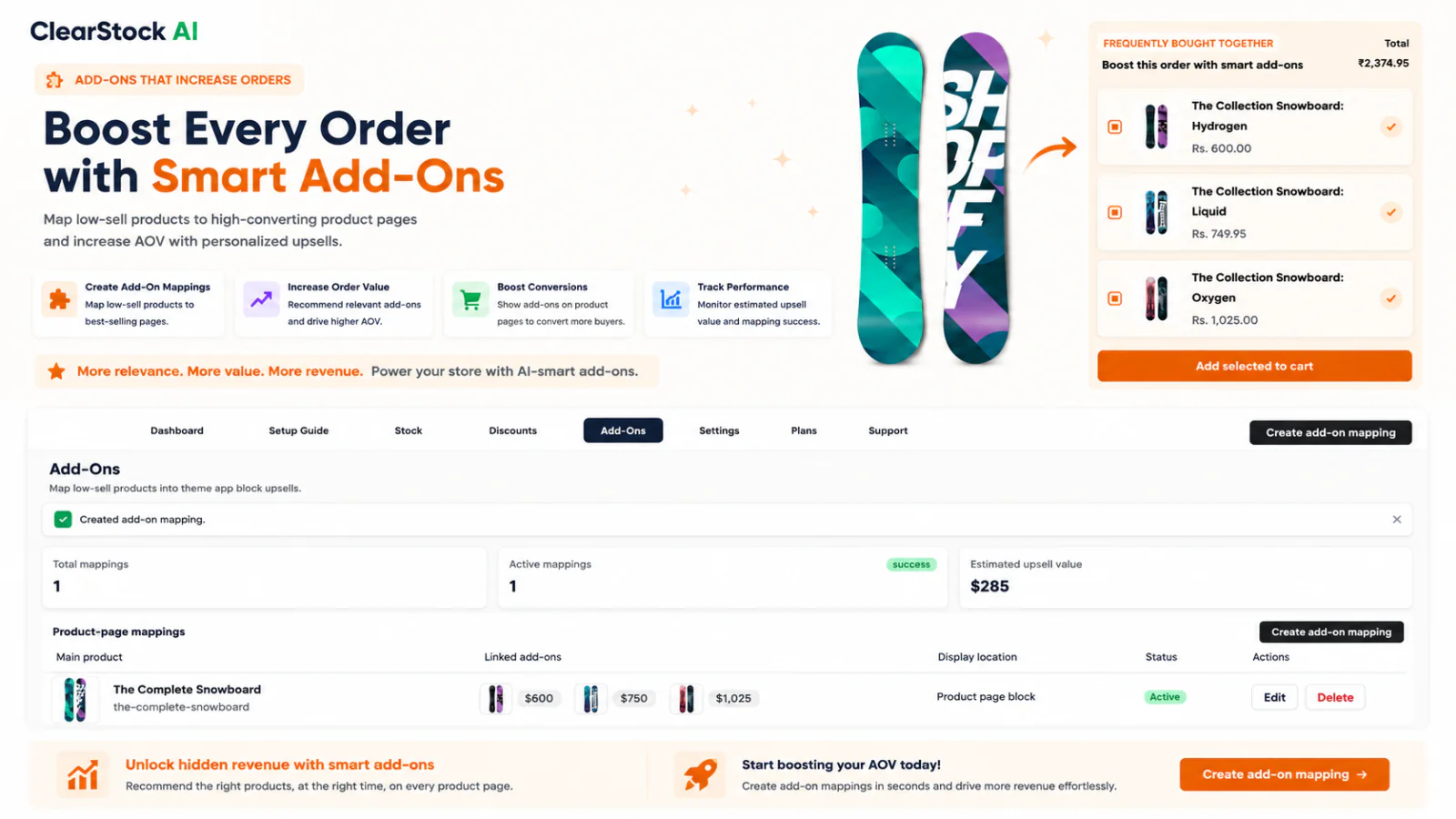
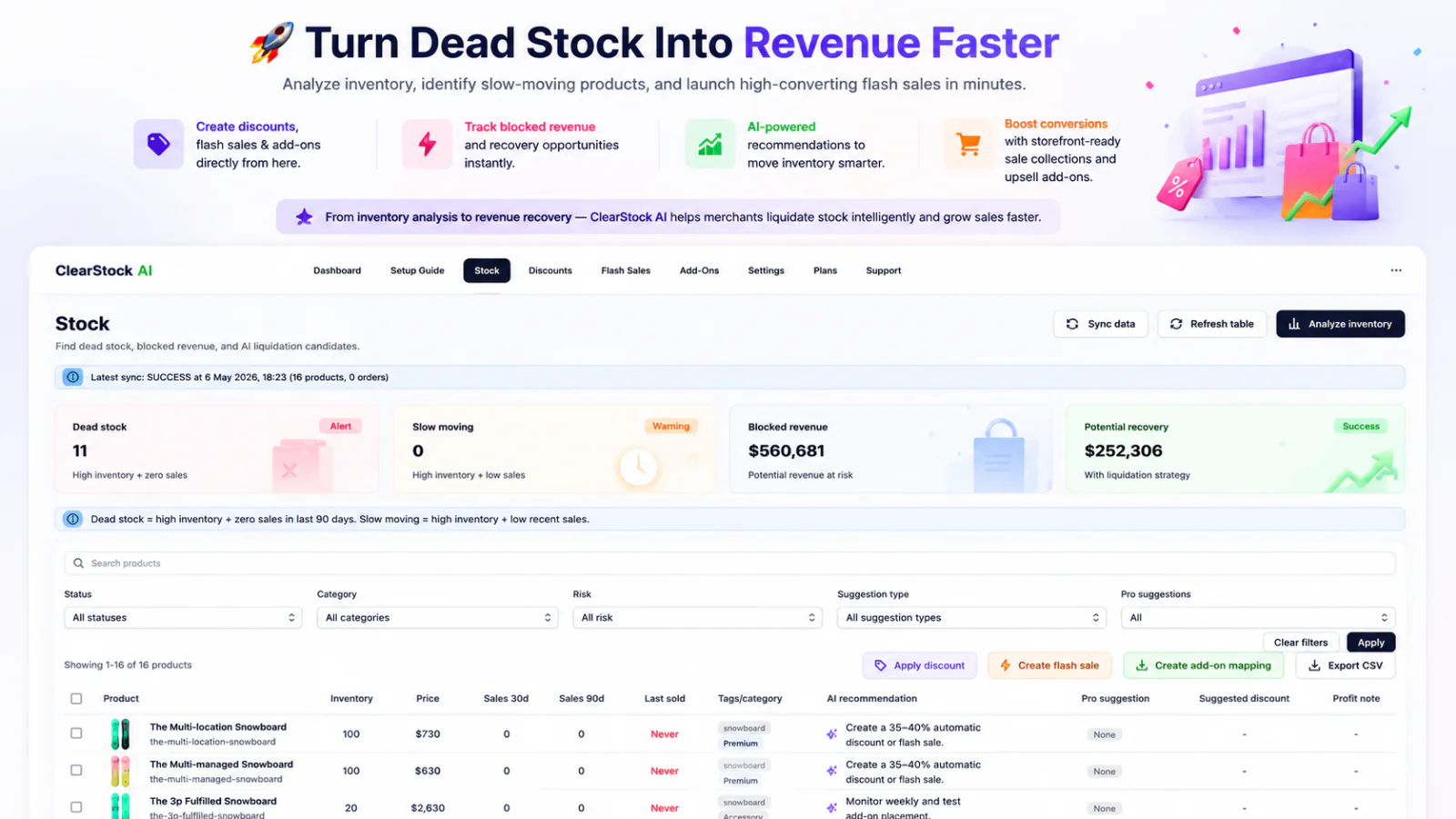
Instead of forcing you to pull manual spreadsheet reports every week, ClearStock AI integrates directly into your Shopify ecosystem to act as an automated revenue recovery assistant. It changes the way you manage inventory via three core automation pillars:
• Continuous, Proactive Detection: The app’s smart algorithms work in the background 24/7, tracking the precise velocity of every single SKU and variant. It flags slowing items before they turn into dead stock, saving your profit margins early.
• Variant-Level Granularity: A product might look like a bestseller overall, but your Extra Large size variant might be completely stagnant. ClearStock AI isolates the specific variants that are underperforming.
• Smart Discount Generation: Instead of guessing whether to slash prices by 10% or 50%, the app analyzes historical customer behavior to generate highly optimized, automated discount strategies designed to recoup maximum capital without eroding your brand equity.
4 Proven Strategies to Clear Dead Stock Without Killing Your Margin
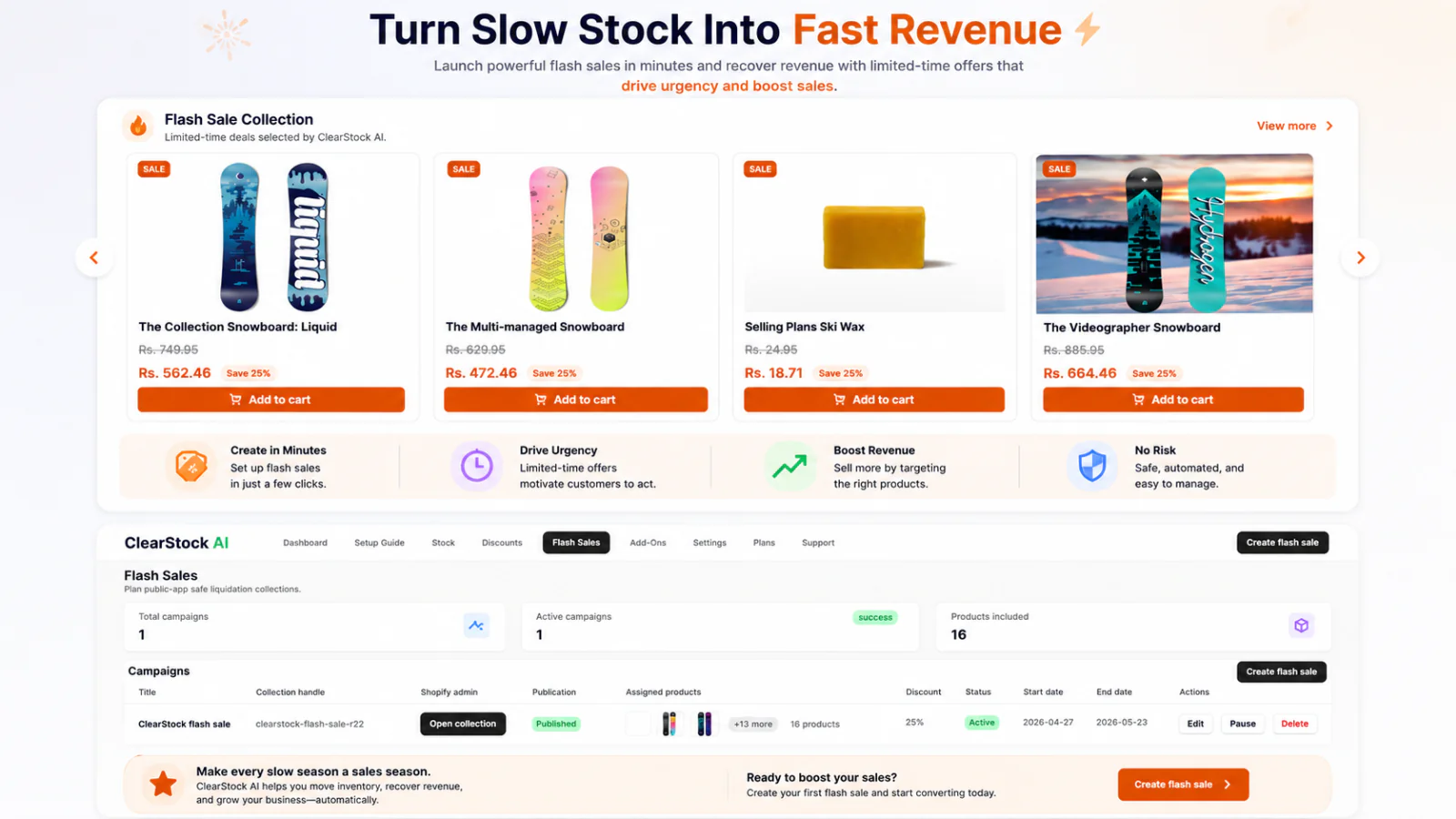
Once you or your AI assistant have successfully isolated your dead stock, it is time to liquidate. The key is to clear the inventory while maintaining your brand’s perceived value. Avoid a sitewide “90% OFF everything must go!” fire sale unless you want customers to assume your business is closing down. Instead, use these tactical approaches:
1. Build Strategic Product Bundles
Take your highest-margin, top-selling product and bundle it with a piece of slow-moving inventory. Offer the bundle at a slight discount compared to buying both items separately. The customer feels they are getting an incredible deal, your average order value (AOV) increases, and the dead stock is cleared seamlessly under the shadow of a popular item.
2. Implement Automated, Tiered Markdown Strategies
Instead of dropping a product’s price permanently, use automated, time-delayed discount structures. For example, if a seasonal item has sat unchanged for 60 days, automate a 15% discount targeted specifically to return customers. If it hits 75 days, increase to 30% and feature it in a “Last Chance” collection. By day 90, shift it to a clearance tier to liquidate at cost price just to free up cash.
3. The “Free Gift with Purchase” Threshold
Turn a liability into a customer loyalty tool. Use your slow-moving inventory as an incentive to boost your cart values. Offering phrases like “Spend $75 or more today, and get a premium Mystery Accessory completely free!” removes the dead item from your books, lowers your holding costs, and provides an unexpected moment of delight for your shopper that drives up their lifetime value (LTV).
4. Create a Hidden “Secret Sale” for VIPs
If you are worried that running discounts on your public storefront will cheapen your brand image, don’t show it to everyone. Create a hidden, unlisted collection on Shopify. Email a direct link to this collection exclusively to your top 10% most loyal customers or subscribers, framing it as a private VIP warehouse clearance.
Turn Hidden Liabilities into Actionable Cash Flow
Dead stock is an inevitability of running a retail business, but letting it sit unchallenged is a choice. Every week that a slow-moving item clogs up your system is a week your business is operating at sub-optimal capital efficiency.
By moving away from tedious, inaccurate spreadsheet auditing and adopting the predictive power of ClearStock AI, you can instantly protect your bottom line, free up your hard-earned cash, and keep your Shopify store moving at peak performance.